Last updated
How to Set Up the KatchT HQ AI Assistant: Get an API Key in 5 Minutes
By KatchT Team
The AI assistant inside KatchT HQ (Ask HQ) answers questions about your events, leads and budgets. It runs on your own AI account through an API key: a password that lets HQ use that account. That keeps your data under your own AI account and means KatchT never marks up AI usage. It also means one five-minute setup step.
A subscription isn't an API key
This is the step that trips people up. A Claude Pro or ChatGPT Plus subscription covers the chat app you use in your browser. It doesn't include API usage, which is what apps like KatchT HQ use. API usage is a separate, pay-as-you-go account at the same company.
If you only want to use your subscription, connect your Claude or ChatGPT app instead (Settings → MCP connector in HQ) and ask about your HQ data from inside that app, with no API key. The assistant inside HQ needs the key.
Get a key: Anthropic (Claude)
- Go to platform.claude.com (Anthropic's developer console) and sign up or sign in.
- Open Billing and add prepaid credit. $5 to $10 lasts a long time; a typical question costs a few cents or less.
- Open API keys, click Create key, name it "KatchT HQ" and copy it. You won't see it again.
Get a key: OpenAI
- Go to platform.openai.com and sign up or sign in.
- Under Billing, add prepaid credit ($5 to $10).
- Under API keys, create a key and copy it.
Add it to HQ
- In KatchT HQ, open Settings → Ask HQ (an Owner or Admin does this once for the whole workspace).
- Choose Claude or OpenAI, pick a model and paste the key.
- Tick the box confirming that the workspace data needed to answer a question, which can include lead names, emails and notes, goes to your AI provider under your account. Then click Test & save key.
- HQ checks the key with one tiny request before saving it. If your account has no credit yet, you'll see a message that your account is out of credit; add credit and try again.
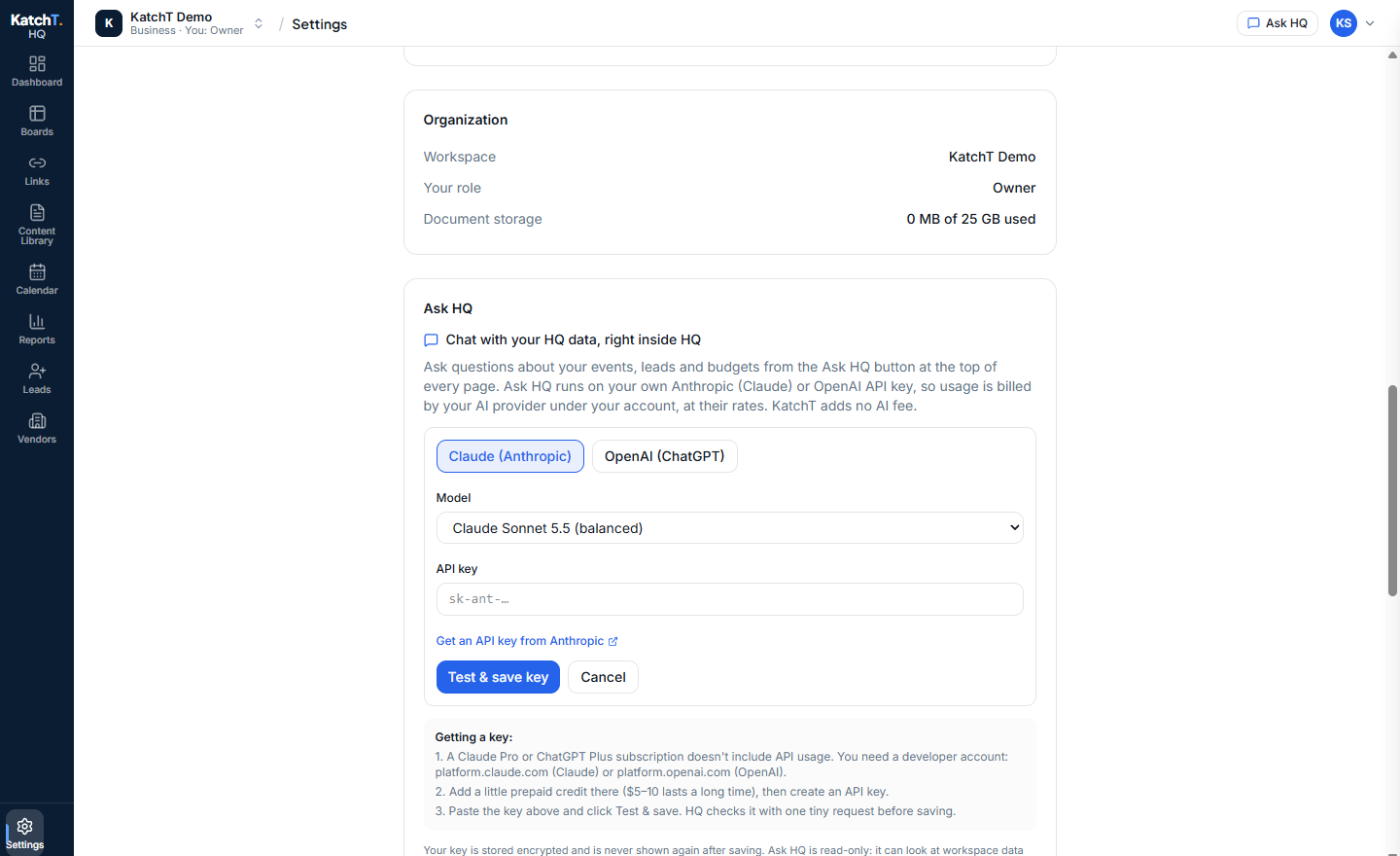
Your key is stored encrypted and never shown again. Everyone in the workspace can then use the AI assistant from the Ask HQ button at the top of every page.
Which model?
Start with the faster, cheaper model for everyday questions (lead summaries, what's overdue) and switch to the larger one for comparisons across many events. You can change the model any time in the same screen, without pasting the key again.
The AI assistant is on Pro and Business, and in every new workspace's 7-day Pro trial. Start free: build your first event board in KatchT HQ.